
How to Use
- Open your project
- Move the playhead to the frame you want
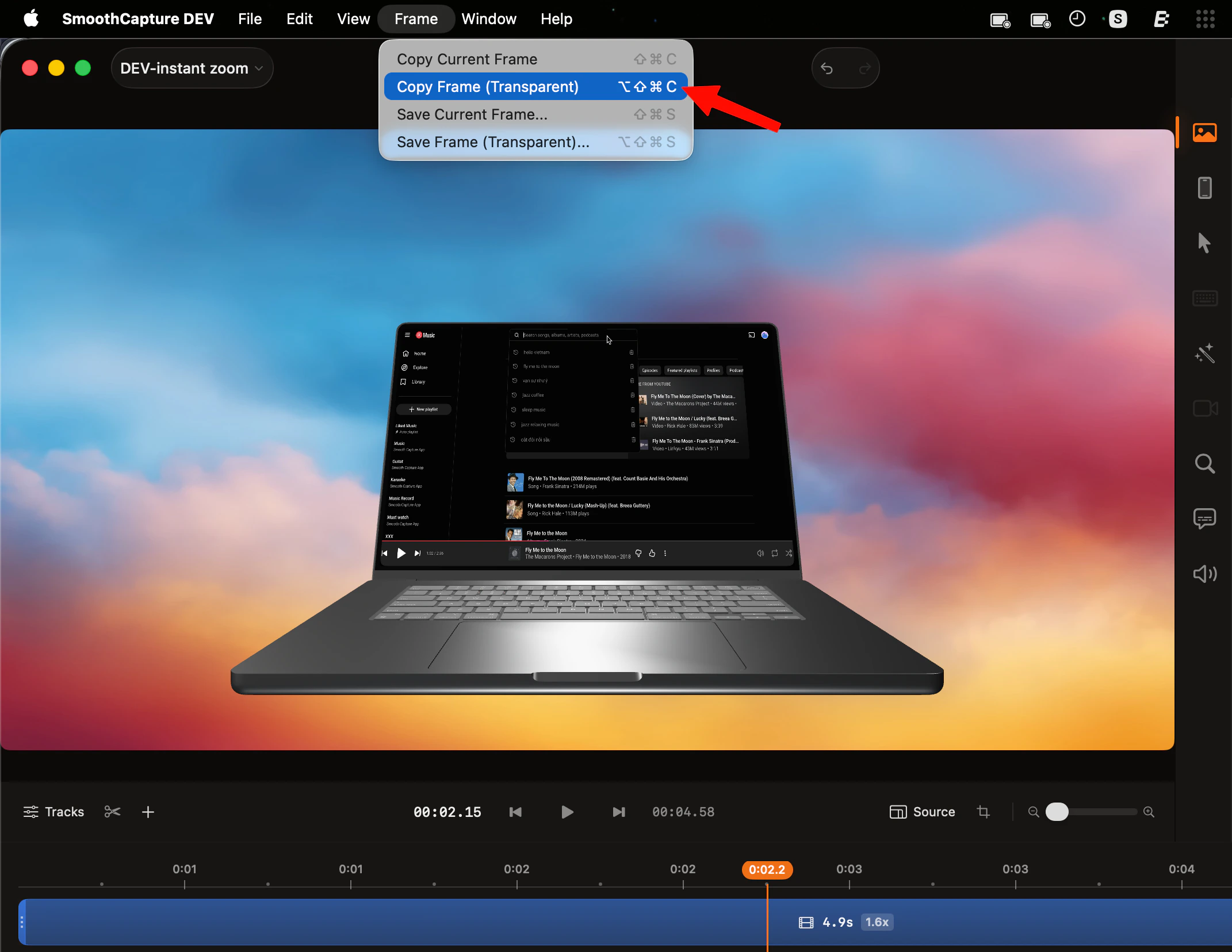
- Menu bar → Frame → Copy Frame (Transparent)
or press ⌥ + ⌘ + ⇧ + C - Paste anywhere with ⌘ + V
What You Get
- Image with transparent background (alpha channel)
- Ready for design tools, slides, or overlays
Use Cases
- Place UI into device mockups (MacBook, iPhone, etc.)
- Create clean marketing visuals
- Share UI snippets without background noise
- Add polished visuals to docs or social posts
Tip
For best results:- Keep the subject well-isolated
- Use zoom or lightbox to guide focus
- Avoid cluttered frames → transparency will expose it