Disable Automatic Zoom
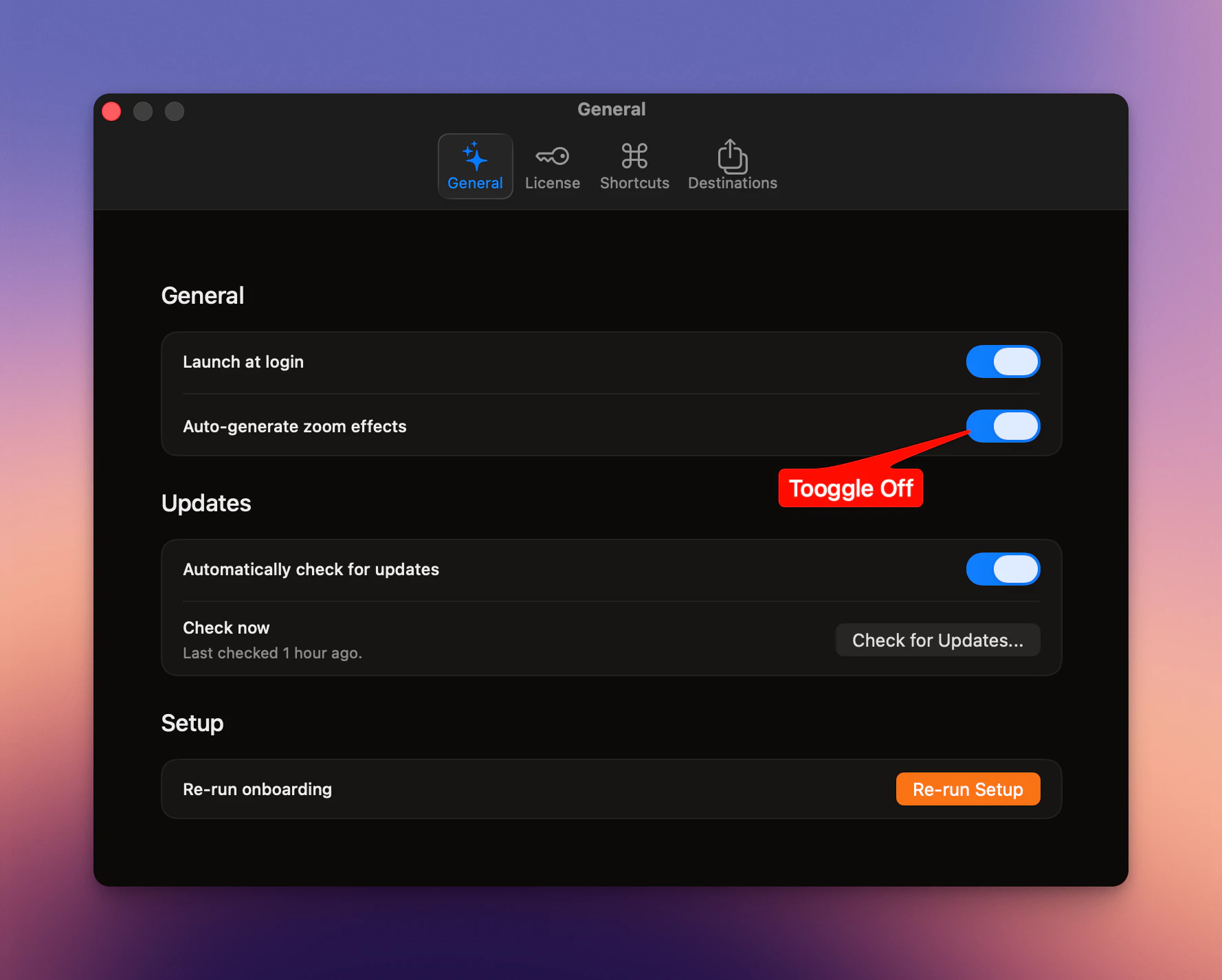
By default, SmoothCapture can create zooms automatically based on your interactions. If you prefer full control, you can turn this off and use Manual Zoom instead.How to Disable
- Open Settings
- Go to the General tab
- Turn off Auto-generate zoom effect
When to Disable
- You want precise control over every zoom
- Your recording has few or no clicks
- You’re aiming for a more intentional, cinematic style
Tip
Automatic zoom is fast, but not always accurate. If your video feels random or unfocused,turn it off and control the zooms yourself.