Cropping the recording
How to Use Crop
Section titled “How to Use Crop”You can use the Crop tool to adjust the visible area of your recording.
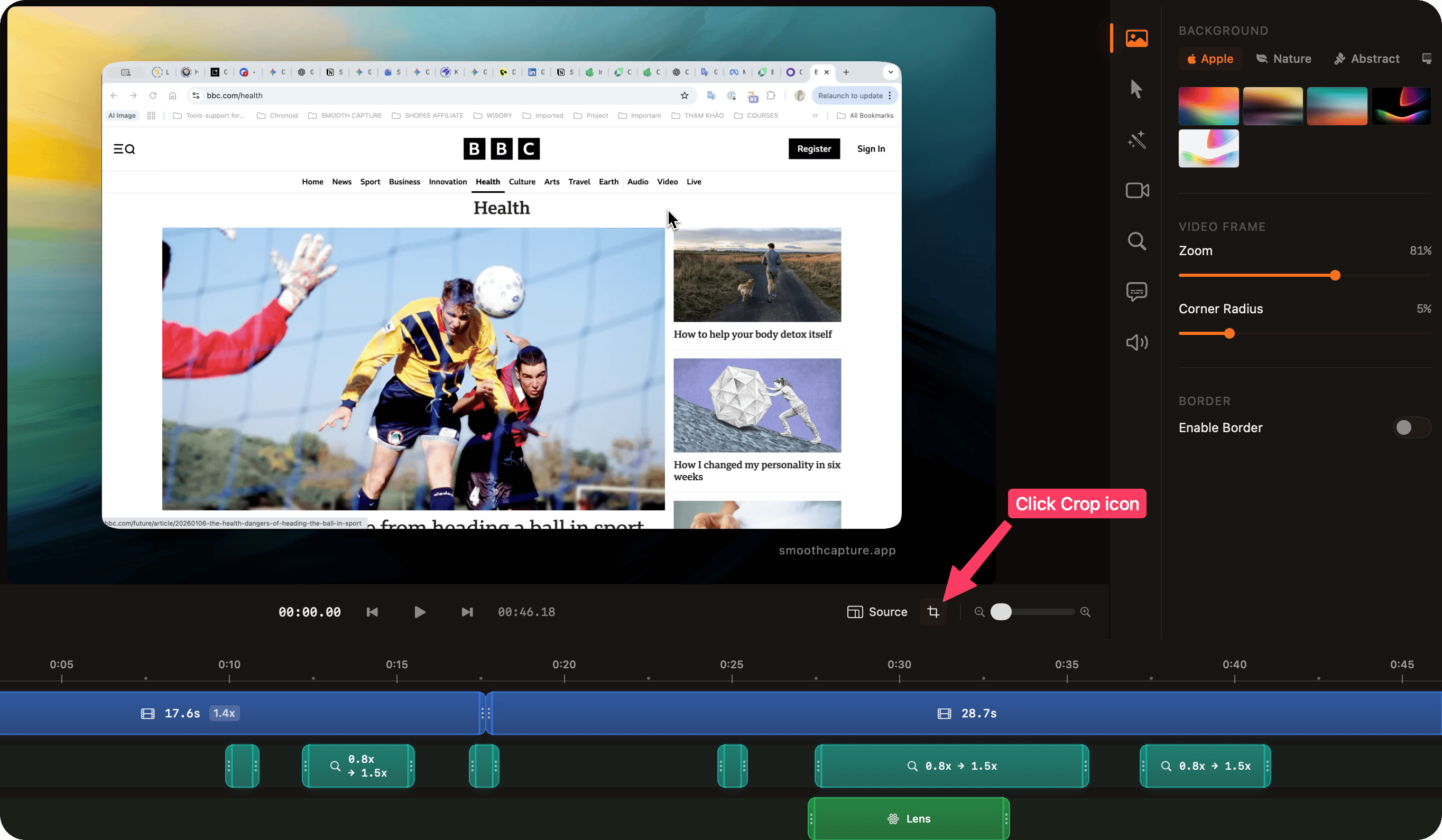
- In the editor, click the Crop button above the recording preview.
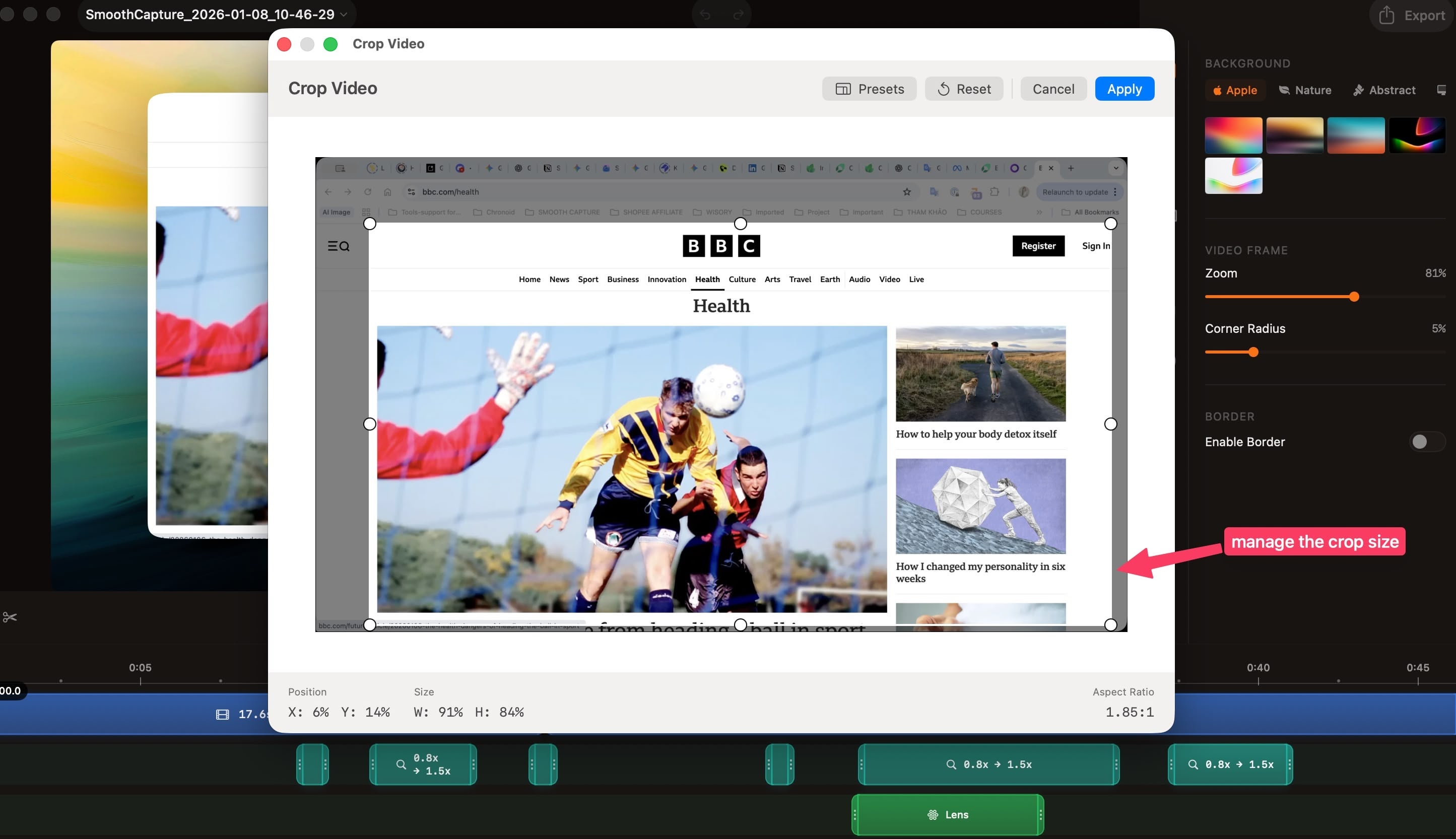
- The Crop Tool window will appear.
- Adjust the crop by:
- Dragging the edges of the crop area manually, or
- Selecting a preset aspect ratio for the crop.
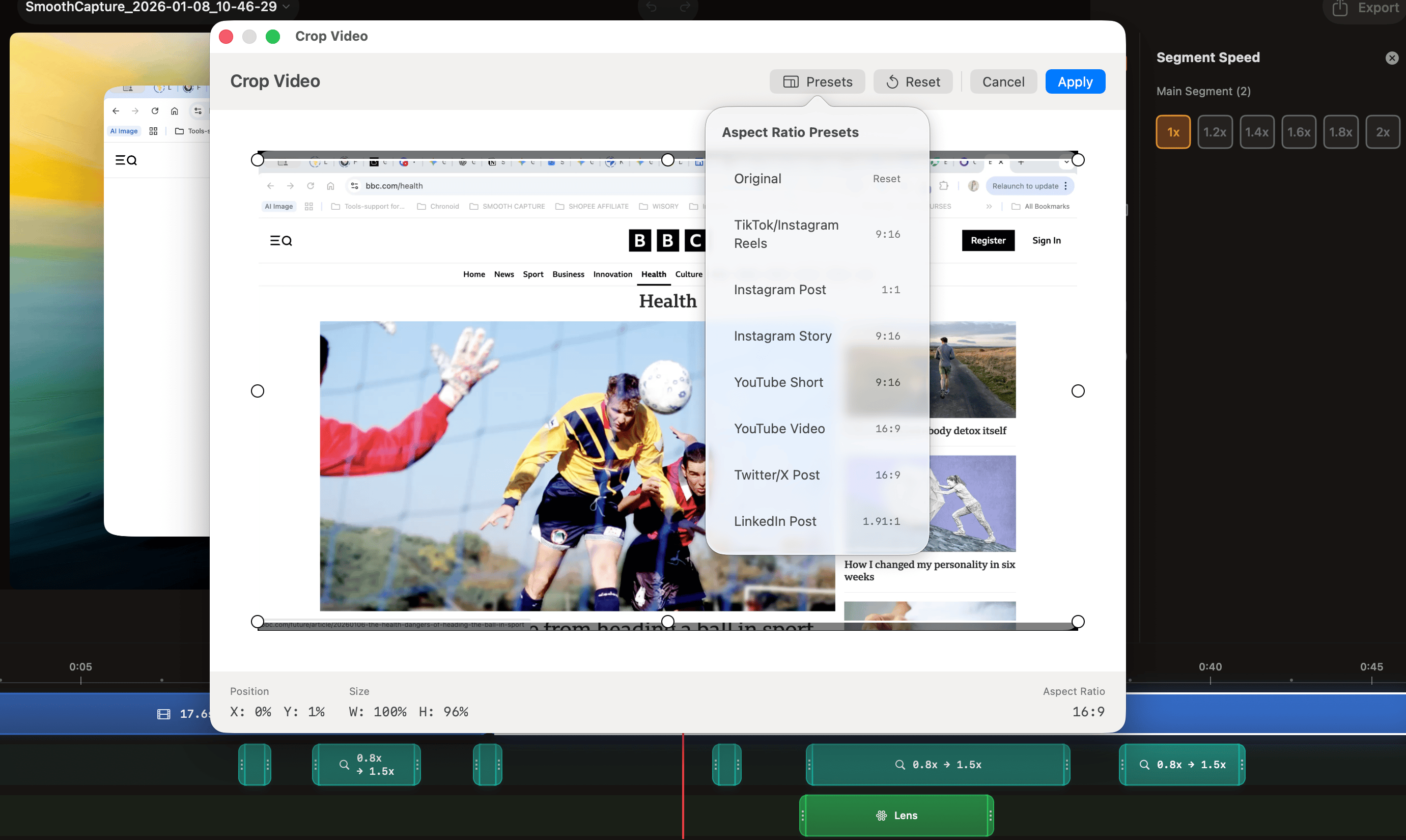
💡 Note: Changing the aspect ratio applies to the entire recording, not just a single segment.