
Captions
Captions (Subtitles)
Section titled “Captions (Subtitles)”Captions help make your videos more accessible and easier to follow, especially when watched without sound. SmoothCapture allows you to generate multilingual captions for your videos, All captions are created based on your voiceover.
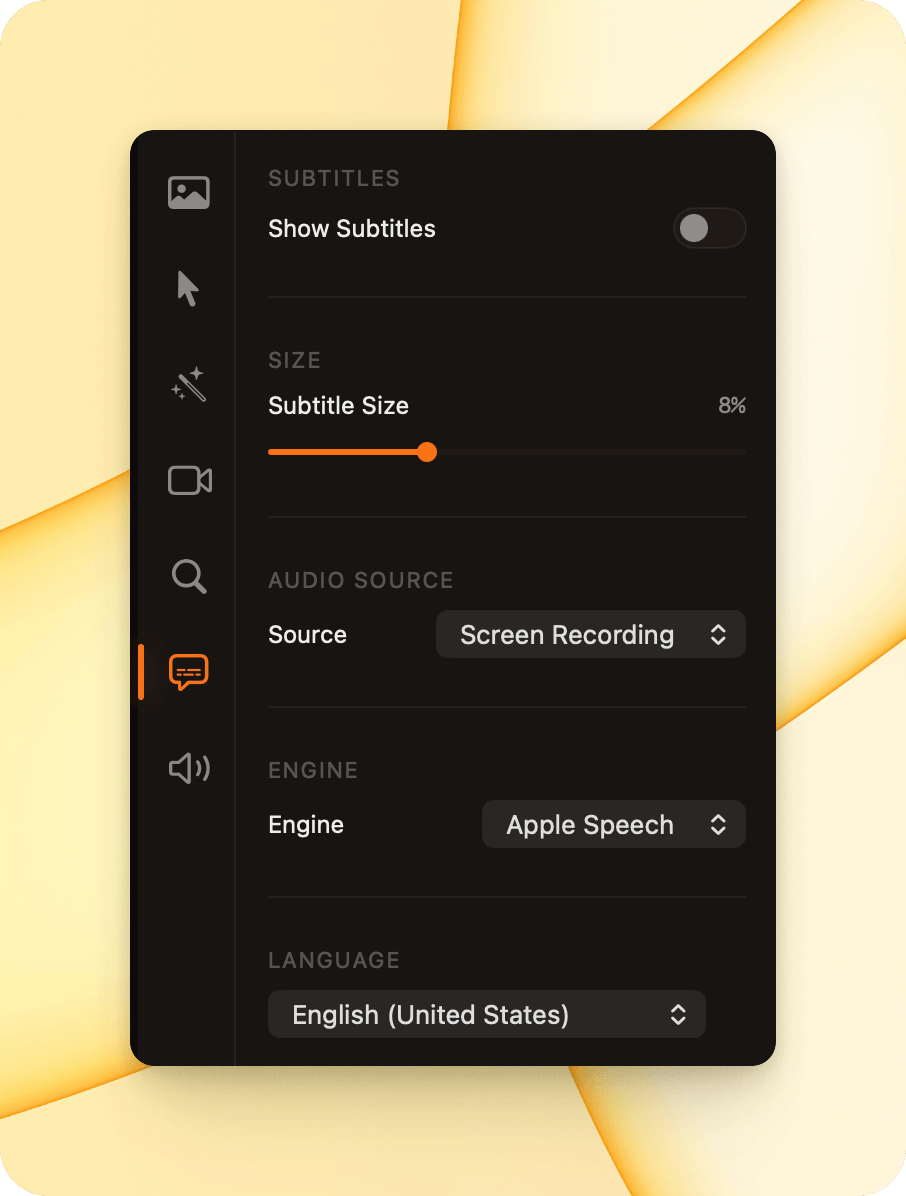
Show Subtitles
Section titled “Show Subtitles”- Show Subtitles
Toggle this on to display captions in your video.
Subtitle Size
Section titled “Subtitle Size”- Subtitle Size
Adjust the size of the captions to suit your video layout and resolution.
Audio Source
Section titled “Audio Source”- Source
Choose which audio track to use for generating subtitles (for example, Screen Recording).
Transcription Engine
Section titled “Transcription Engine”- Engine
Select the speech recognition engine used to generate captions (for example, Apple Speech).
Language
Section titled “Language”- Language
Choose the spoken language of your audio to improve transcription accuracy.
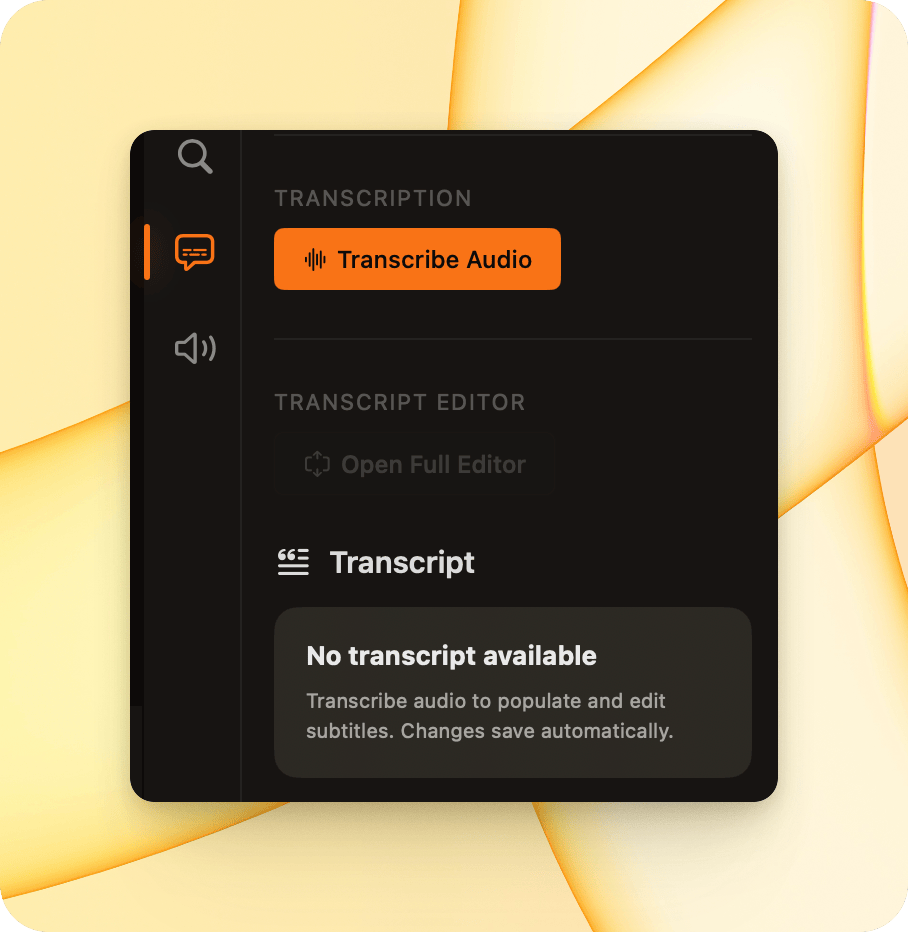
Transcription
Section titled “Transcription”- Transcribe Audio
Click this button to generate captions from your selected audio source.
Once transcription is complete, subtitles will be created automatically.
Transcript Editor
Section titled “Transcript Editor”- Transcript
View and edit the generated transcript. Any changes you make are saved automatically and reflected in the subtitles.
If no transcript is available, click Transcribe Audio to generate one.